DataSyphon v2.0.0 Documentation
Welcome to the official documentation for DataSyphon. DataSyphon is a native, high-performance desktop utility designed to replicate, copy, and migrate enterprise databases with zero data loss, automated DDL cleaning, and full visual control.
DataSyphon requires no remote servers or cloud accounts. It runs 100% locally on your machine, connecting securely to your source and target databases directly.
Quick Start
You can launch DataSyphon directly using our native macOS app bundle, Windows installer, or via the universal cross-platform JAR:
java -jar DataSyphon-2.0.0.jar
Or open with an initial profile file (.syphon):
java -jar DataSyphon-2.0.0.jar --profile /path/to/my_replication.syphon
System Requirements
- Operating System: macOS 12+ (Apple Silicon M1-M4 & Intel), Windows 10/11 (64-bit), or Linux (Ubuntu 20.04+, Debian, Fedora, Arch).
- Java Runtime: Java 21 LTS or newer (Included bundled inside macOS .app / Windows .msi).
- Memory: Minimum 2 GB RAM (4 GB recommended for batch loads with large LOBs).
- Network: Direct TCP access to your database ports (1521, 5432, 3306, 1433).
1. Database Connections
The first step allows you to define your Source Database (the database being read) and Target Database (the database receiving the replicated schema and data).
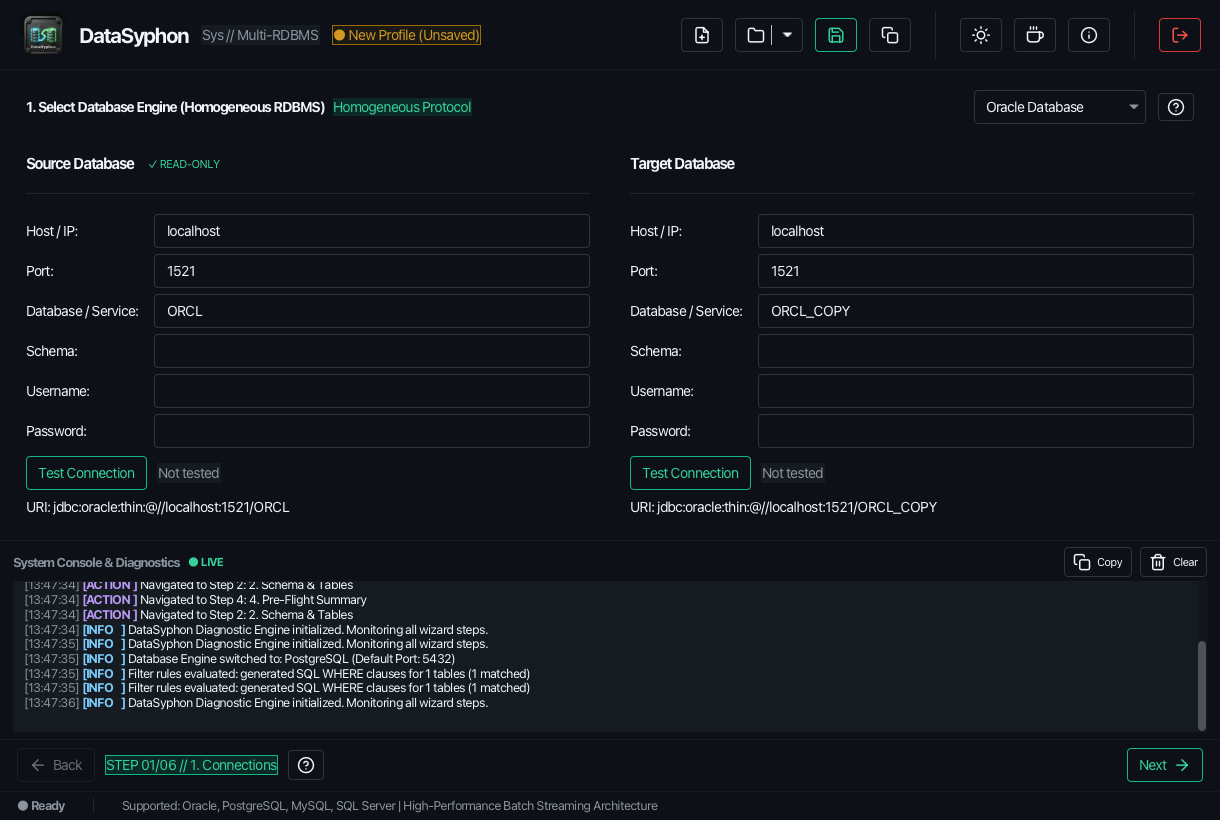
- Database Type: Select from Oracle, PostgreSQL, MySQL, or SQL Server.
- Connection Mode: Standard Host/Port or Custom JDBC URL (e.g., Oracle TNS aliases or SSL parameters).
- Pre-Flight Ping: Click "Test Source" or "Test Target" to verify connectivity and credentials before proceeding.
2. Schema Selection & DDL Inspection
DataSyphon automatically discovers all database objects within the chosen schema:
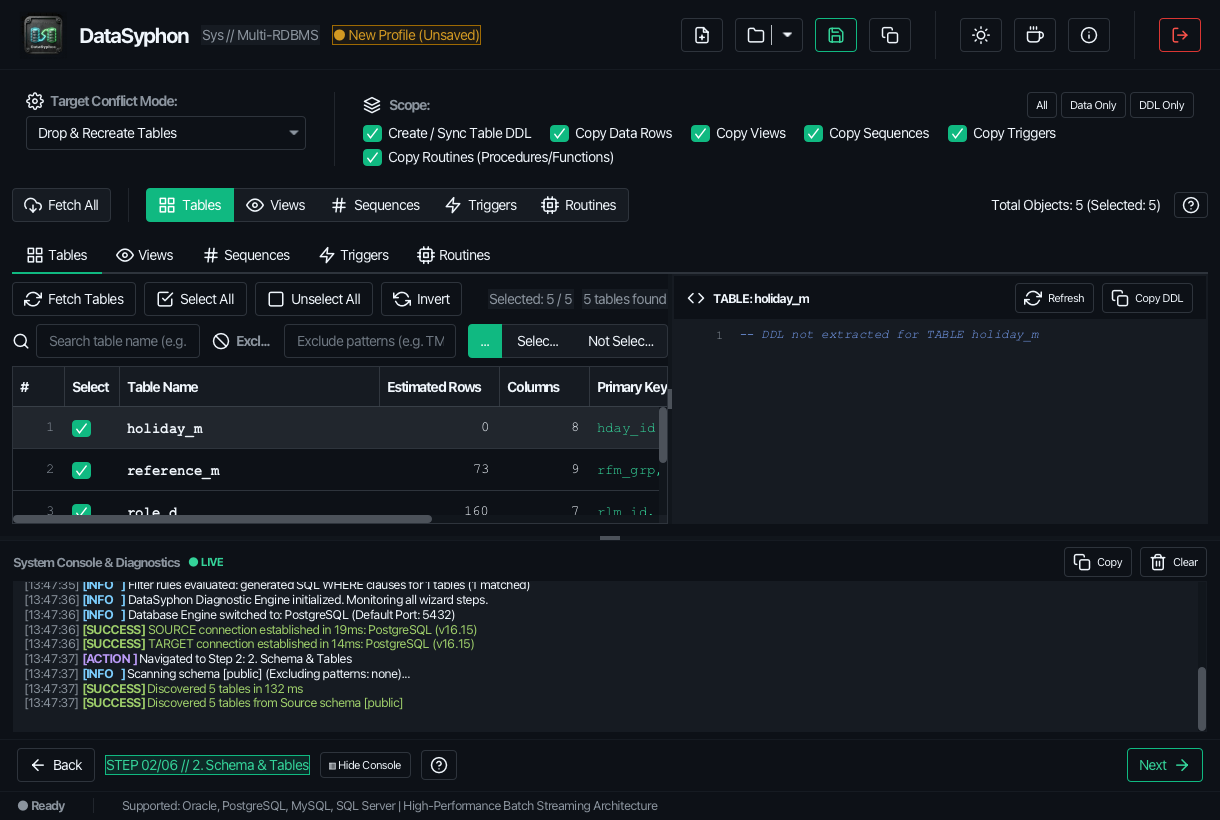
- Selective Checkboxes: Select all tables, or pick specific collections.
- Secondary Objects: Toggle replication of Views, Stored Procedures, Functions, and Triggers.
- Live DDL Viewer: Click any table to inspect its generated or extracted DDL statement in the syntax-highlighted editor with automatic DDL cleanup applied.
3. Visual Rule Builder & Data Filtering
Avoid copying unnecessary legacy data or sensitive test rows with the visual rule builder:
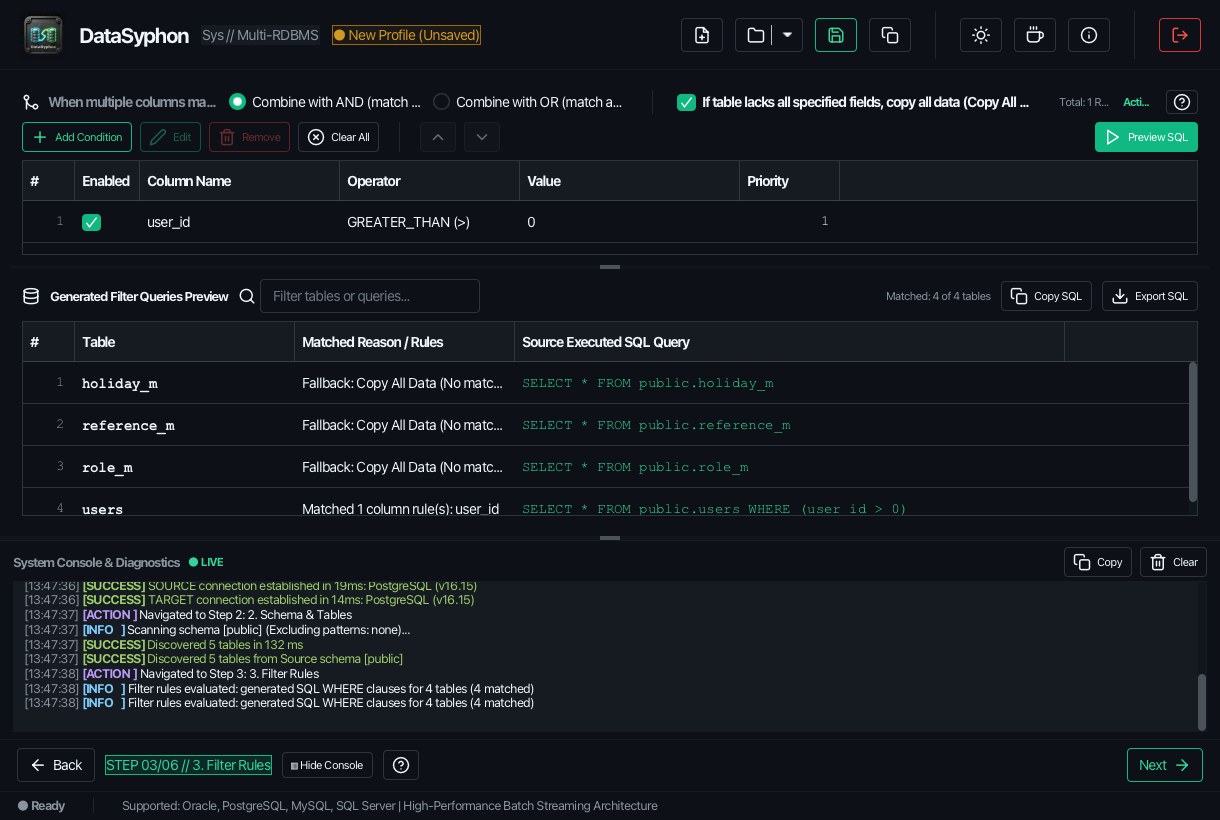
- Date Range Filtering: Filter transactions by interval (e.g.
CREATED_DATE >= CURRENT_DATE - 30). - Column Condition Rules: Filter by status flags, tenant IDs, or custom SQL WHERE clauses.
- Exclude Patterns: Exclude temporary backup tables (e.g.
BAK_*,TEMP_*). - Real-Time Preview: See the exact generated
SELECTquery for each table before running.
4. Pre-Flight Summary & Dry Run
Review the entire execution blueprint before applying changes:
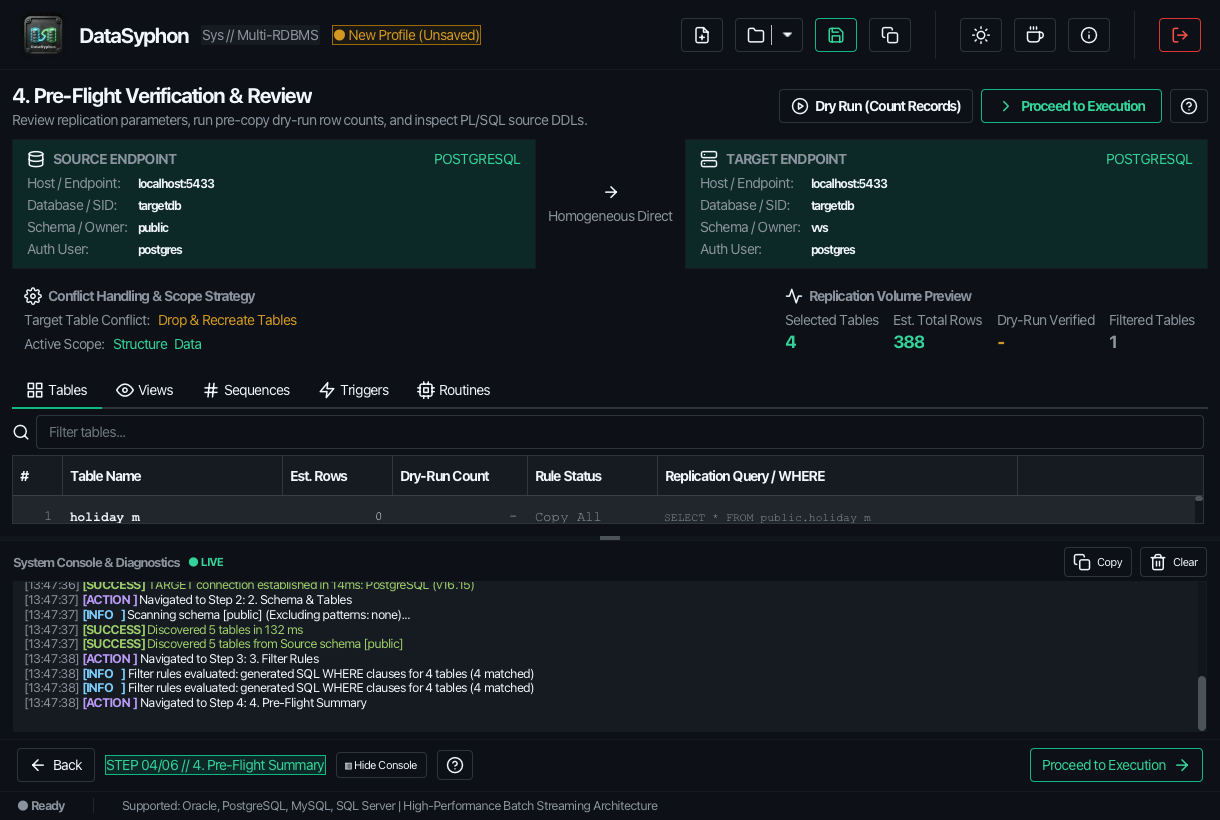
- Conflict Resolution Modes:
DROP AND RECREATE: Drops target table and secondary objects if they exist, recreating from scratch.TRUNCATE AND COPY: Preserves target schema structure and clears row data before insertion.APPEND DATA ONLY: Keeps existing target records and inserts source rows.
- One-Click Dry Run: Test queries, connect to both databases, simulate fetch sizes, and identify potential syntax incompatibilities with zero write operations.
5. Live High-Speed Replication
Track every row and batch during replication:
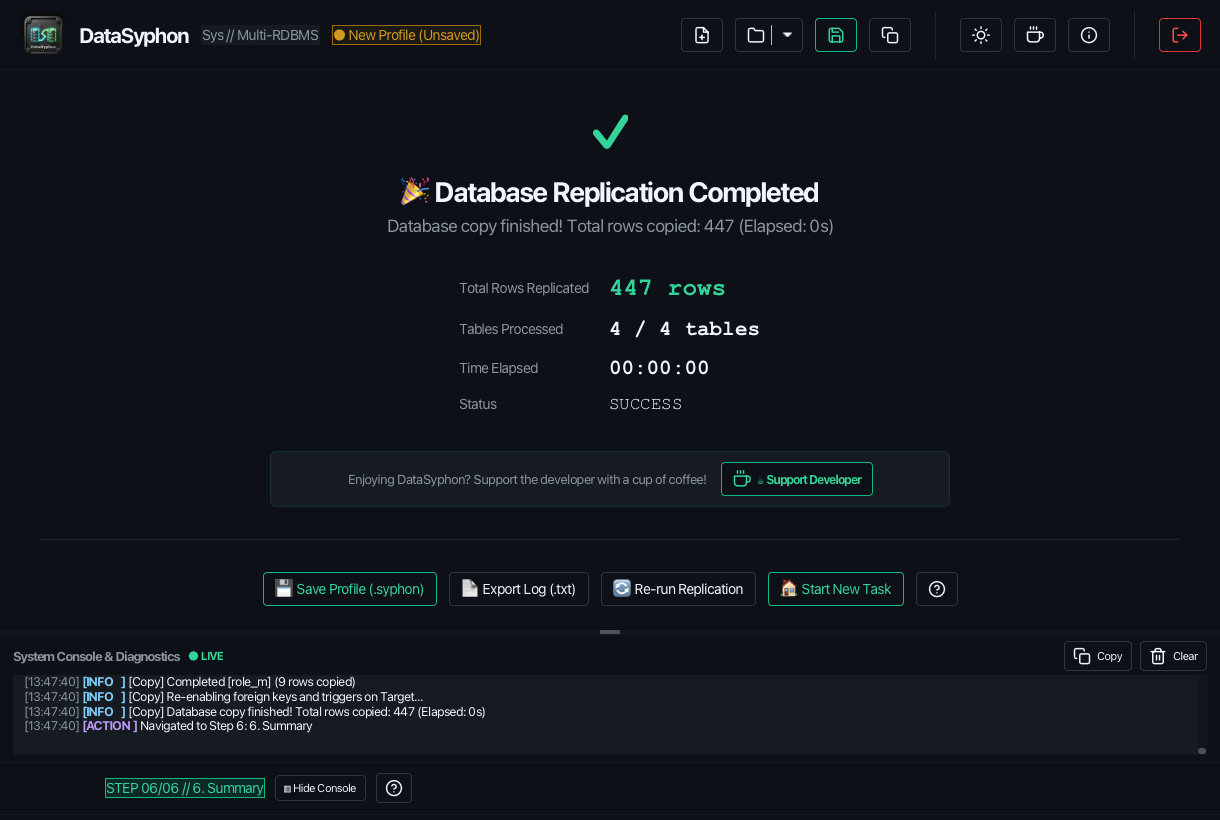
- Live Throughput Metrics: Real-time row counter, percentage completed, and rows/second throughput.
- Interactive Controls: Pause replication to inspect locks or resume when ready. Safely cancel at any point.
- Streaming Engine Log: Transparently inspect every DDL execution, constraint toggle, and batch commit.
6. Audit & HTML Error Reports
Upon completion, inspect target table counts and export comprehensive verification records:
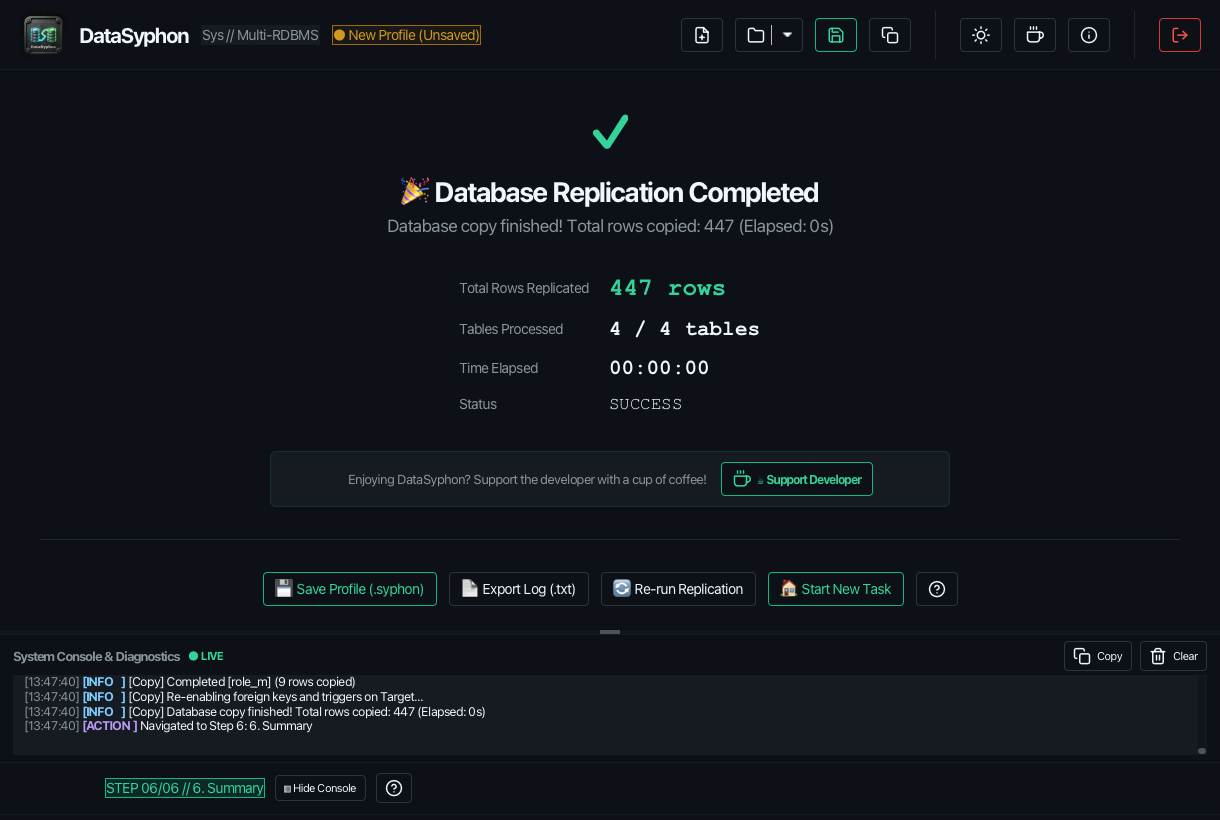
- Self-Contained HTML Reports: Export audit documentation with one click. Reports include execution duration, row counts per table, and failure diagnostics.
- Modal SQL Inspection: Click on any failed statement inside the report to view the full SQL query and database error code for rapid debugging.
Oracle Database Guidelines
DataSyphon incorporates specialized adaptations for Oracle Database (11g, 12c, 19c, 21c, 23ai):
- Storage & Segment Stripping: Automatically removes
STORAGE (...),TABLESPACE,PCTFREE, andSEGMENT CREATIONclauses to avoid target tablespace mismatches. - Sequence Partitions: Strips Oracle 19c+
NOPARTITIONclauses that cause syntax errors when migrating to standard schemas. - VARCHAR Semantics: Automatically converts
BYTEtoCHARsemantics (or vice-versa) based on your configuration. - Java Stored Code: Preserves double quotes and case sensitivity within Oracle
JAVA SOURCEobjects.
PostgreSQL Guidelines
When replicating to or from PostgreSQL:
- Trigger Functions: DataSyphon pre-creates underlying trigger functions before attempting to create PostgreSQL triggers.
- Version Compatibility: Automatically handles
CREATE OR REPLACE TRIGGERsyntax differences for PostgreSQL versions prior to 14. - Schema Qualification: Automatically ensures
search_pathand schema prefixes are adapted cleanly to the target namespace.
MySQL Guidelines
For MySQL 8.x instances:
- Session Optimizations: Temporarily disables
FOREIGN_KEY_CHECKS = 0andUNIQUE_CHECKS = 0during batch load, then safely re-enables them. - Definer Cleanup: Strips hardcoded
DEFINER=`root`@`localhost`clauses from Views and Stored Routines to avoid privilege errors on target servers.
Microsoft SQL Server Guidelines
Full native T-SQL integration (SQL Server 2016 through 2022 & Azure SQL):
- Max Length Clamping: Replaces
NVARCHAR(size)withNVARCHAR(MAX)when length exceeds 4,000 characters. Automatically mapsVARCHAR(MAX)andVARBINARY(MAX)when exceeding 8,000 bytes. - Decimal Precision: Clamps precision to SQL Server's maximum limit of 38.
- Foreign Key Disablement: Leverages
sp_msforeachtableto bulk disable constraints and triggers during row ingestion.
Troubleshooting & FAQ
Q: Can DataSyphon copy data across different database types (e.g. PostgreSQL to SQL Server)?
In the current v2.0.0 release, DataSyphon focuses strictly on Homogeneous Replication (Oracle → Oracle, PostgreSQL → PostgreSQL, MySQL → MySQL, and Microsoft SQL Server → Microsoft SQL Server) to guarantee 100% dialect fidelity, vendor-specific data types, and zero loss during synchronization.
Coming in the next version: Full Heterogeneous Cross-Database Replication (Tables & Views) is currently under active development for our next major update (v2.1), featuring automated cross-dialect type normalization and universal view translation!
Q: Does DataSyphon write anything to the source database?
No, absolutely never. DataSyphon only issues read-only SELECT queries against your source database. All write operations are strictly confined to the target connection.
Q: Where are my connection passwords stored?
When saving a .syphon profile, credentials can be saved locally on your workstation. DataSyphon never transmits connections or data over the Internet.